Real-Time AI Voice Cloning: How Streaming and Latency Work
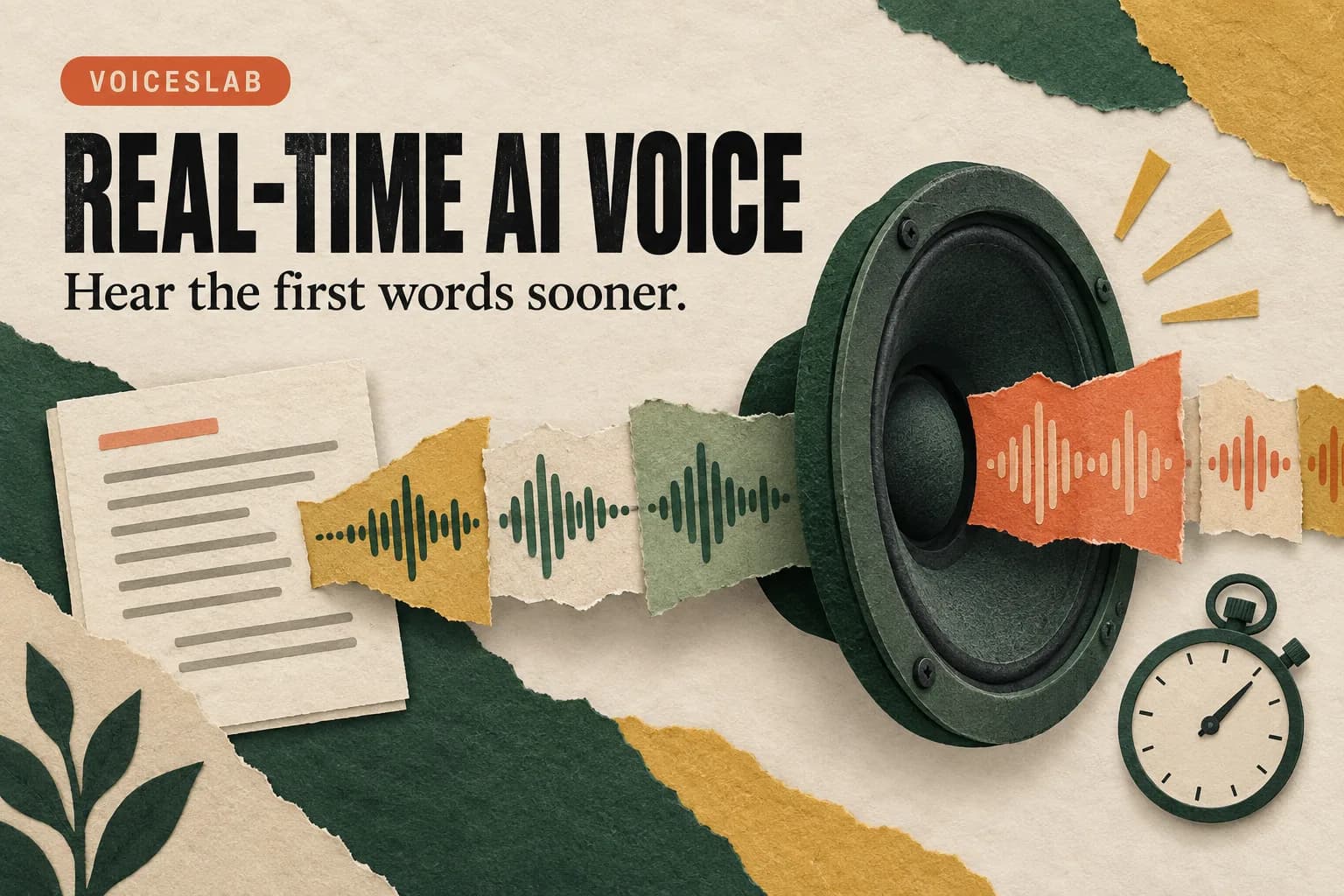
You press Generate and hear the first sentence while the rest of the narration is still arriving. That feels very different from waiting for an entire audio file before you can listen.
This is one meaning of “real-time AI voice cloning”: generating speech in an existing cloned voice and delivering the audio as a stream. It does not necessarily mean creating the clone instantly, changing a live microphone feed, or running a complete voice conversation.
Those distinctions matter when choosing a tool. A creator checking a script needs a quick, reliable preview. A live conversation needs timely responses and interruption handling. Both benefit from speed, but they require different capabilities. Start with the experience you need, then ask what the advertised latency actually measures.
What does real-time voice cloning mean?
Voice cloning creates a reusable representation of an authorized speaker from reference audio. Speech generation then uses that voice to read new text. In a typical workflow, creating the voice happens before the request to generate narration.
Streaming changes how generated audio reaches the listener. Instead of waiting for the complete result, the application receives chunks and can begin playback once enough usable audio is available. The remaining speech arrives while earlier audio plays.
A live voice changer does something else: it takes incoming speech from a microphone and transforms its sound. A conversational voice agent adds still more work, such as understanding the user, deciding what to say, and managing turns. A streaming text-to-speech feature alone does not provide those systems.
For creators, the practical benefit is earlier feedback. You can hear whether an opening sentence has the right tone before the whole passage finishes generating. Our voice cloning versus text-to-speech guide explains how a saved voice and a new script work together.
Read latency claims by their starting and ending points
“0.5-second latency” sounds precise, but the number is incomplete without a definition. It could describe a model returning its first audio data, a client receiving that data, or a person actually hearing speech. Those are different events.
A useful comparison separates four measurements:
- Voice setup time: from submitting reference audio to having a usable clone.
- Time to first audio data: from starting a synthesis request to receiving the first audio chunk.
- Time to audible speech: from the user's action to hearing the first word.
- Time to complete audio: from starting the request to receiving the full result.
Microsoft's speech synthesis latency documentation distinguishes first-byte client latency from finish latency. The same distinction is useful when comparing other speech products, even though their implementations and measurements differ.
The first chunk may need decoding and buffering before playback. It may also contain leading silence. A fast network response therefore does not prove that the listener hears a word equally quickly.
Treat a half-second figure as a claim to examine, rather than a promise that every script, browser, language, and connection will behave identically. This guide does not report a measured 0.5-second end-to-end result for Voiceslab. For a purchasing or production decision, test the delay at the point that matters to your work.
How streaming speech works in Voiceslab
Voiceslab's text-to-speech workflow can use a saved clone or an available public voice. You enter a script, generate speech, and review the result. With an existing clone, you do not have to repeat the reference recording for every new line.
The current application sends generated audio progressively. Its browser player supports playback during MP3 generation when the browser supports the required streaming media format. Other formats or unsupported browser paths can wait for the full audio before playback.
This means two people can use the same script and perceive different waiting times. One browser may begin playing the stream, while another receives the complete result first. Neither experience tells you, on its own, how long voice creation took or how fast the underlying model processed the request.
The browser is part of the delivery chain. MDN's Media Source API overview describes the browser facilities that let applications supply media in chunks. Format support and playback behavior still need to be checked on the actual device.
For normal narration work, use the supported streaming path to evaluate delivery promptly, then wait for the completed audio before treating it as a finished export. Hearing a convincing first sentence does not verify the rest of the file.
Where faster feedback helps most
Short, repeated revisions are a strong fit. Imagine comparing two openings for a product demo. You want to hear the emphasis and timing, change a phrase, and listen again. The delay before the first words directly affects how comfortable that editing loop feels.
The same applies to pronunciation tests. Use a brief passage containing the difficult name or abbreviation instead of regenerating several minutes of narration. Once the wording works, include it in the complete scene.
For long-form narration, start time is only one consideration. You also need consistent delivery, uninterrupted playback, and a complete file you can edit. A stream that starts quickly but repeatedly stalls may be less useful than one that starts a little later and plays smoothly.
Live performances and conversations need a separate evaluation. Consider microphone capture, turn detection, response generation, audio routing, and what happens when someone interrupts. Do not select a narration tool for a live call solely because its speech output streams.
Likewise, multilingual generation does not imply live interpretation. Translating incoming speech and generating an appropriate response introduce additional stages. Evaluate the complete intended workflow instead of transferring a synthesis-only number to it.
Run a small test you can actually compare
Choose three scripts that represent your work: a short sentence, a normal paragraph, and a longer passage. Include the names, punctuation, and target language you routinely use. A generic greeting may conceal the problems that delay a real project.
Use the same saved voice, output format, device, and connection for the initial comparison. Record when you start generation, when you hear the first word, and when the complete result becomes available. If you use a screen recording, confirm it captures system audio so those events can be reviewed together.
Repeat each script several times. Keep the first attempt separate from later attempts because connection setup or caching may affect the result. Note any playback stalls and failures as well as successful timings; excluding them can make the workflow look more reliable than it is.
A simple note can contain the script label, character count, browser, format, start delay, completion time, and a short quality comment. Summarize typical results and the slower runs. One unusually fast attempt tells you little about what a deadline will feel like.
Then change one condition that matters to you, such as the device or target language, and repeat a small subset. This helps identify whether a disappointing result follows the voice, the content, or the listening environment. There is no need to build an elaborate benchmark for a few weekly videos.
These tests consume normal generation allowance. Keep passages short until you have confirmed the workflow is suitable.
Improve responsiveness without losing the read
Prepare and check the clone before the editing session. Voice setup and synthesis are separate jobs; combining them in every test makes it harder to understand which wait you are measuring.
For previews, submit the passage you need to judge. For the final audio, keep related sentences together so they have enough context for natural phrasing. Generating every word or sentence separately can produce an uneven read and create extra editing work.
Keep output format consistent during comparisons. Changing both the format and the voice at once makes a faster result difficult to explain. Test on the browser and connection you expect to use in production rather than relying on a demonstration from another device.
Speaking speed is a different control from generation latency. Increasing it changes the delivery and duration of the speech; it is not a dependable fix for the wait before audio starts. If the script is too long for the video, edit the wording before speeding it up substantially.
If playback starts but pauses, check whether the issue repeats under the same conditions. A single slow run may reflect temporary network or service conditions. Repeated stalls deserve attention even if the first word arrives quickly.
Keep the quality decision explicit. A faster response has little value if you spend the saved time repairing mispronunciations or regenerating awkward phrasing.
Questions to settle before choosing a real-time workflow
Does streaming mean the whole recording is ready immediately?
No. Playback can begin while later audio is still being generated or delivered. Wait for completion and listen through before exporting or sharing the result.
Does a cloned voice require a new sample for every request?
An existing saved clone can be reused for new scripts. You may choose to create a better reference when the voice quality is unsatisfactory, but that is separate from ordinary text generation.
Can I use streaming TTS as a live microphone voice changer?
That capability does not follow from streaming output. A microphone voice changer needs an input and conversion pipeline designed for incoming speech. Verify that specific feature before choosing a tool for calls or live broadcasts.
What matters more: first audio or complete audio?
For interactive script previews, early audible speech matters. For downloading narration and placing it in an editor, completion time and quality may matter more. For both, note whether playback remains smooth after it starts.
To evaluate your own editing loop, open the Voiceslab voice cloning tool, prepare your own or an authorized speaker's voice, and test a short script in Text to Speech. Judge the time until you can hear and assess the line, then check the completed take. That is the speed improvement your next project can actually use.